Conversational data preparation
Chat with an AI assistant powered by OpenAI and Anthropic LLMs to prepare your data. Upload CSV/Excel/JSON/XML, clean, transform, encode — all through natural conversation.
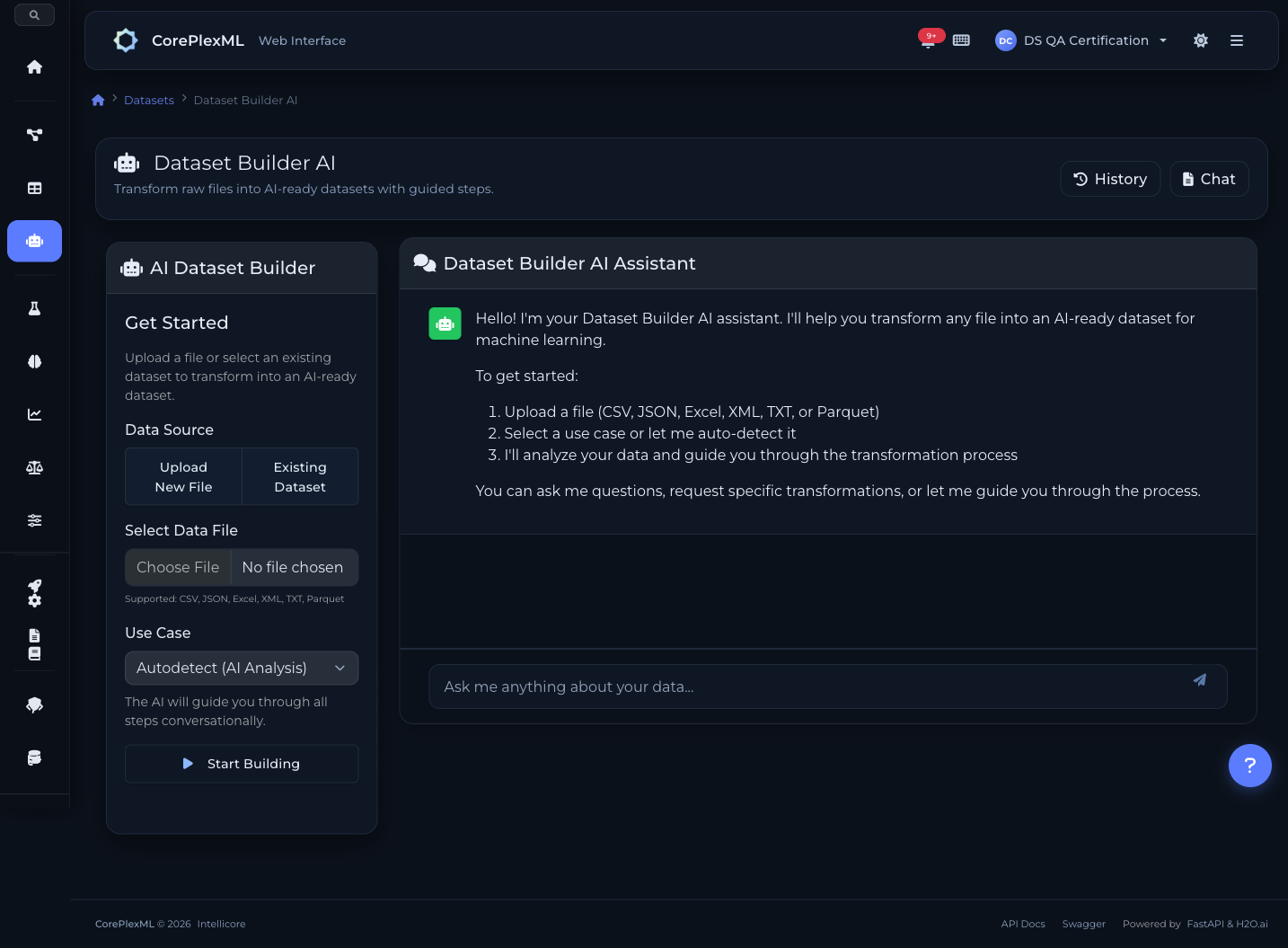
6-step data preparation pipeline
From raw upload to ML-ready dataset. Every step guided by AI, every transformation shown as executable Python.
1. Load & Explore
Upload your file (CSV, Excel, JSON, XML). The AI automatically detects schema, column types, missing values, and data quality issues.
2. Clean
Handle missing values (mean, median, forward fill), remove duplicates, fix outliers, and drop irrelevant columns — all through conversation.
3. Transform
Type casting, date feature extraction, text normalization, binning, and custom expressions. Tell the AI what you need in plain English.
4. Encode & Scale
One-hot encoding, label encoding, StandardScaler, MinMaxScaler. The AI suggests the best approach based on your data and target variable.
5. Feature Selection
Select or drop features for modeling. The AI recommends based on correlation analysis and feature importance from initial profiling.
6. Export
Export as an AI-ready versioned dataset. Full lineage tracking — every transformation recorded with the generated Python script.
Key Capabilities
Everything you need to get the most out of this module.
Multi-Format Ingestion
Upload CSV, Excel, JSON, or XML files. Automatic schema detection and type inference.
Smart Transformations
Type casting, one-hot encoding, label encoding, scaling, imputation — all through natural language.
Transparent Execution
See the generated Python scripts for every transformation. Full reproducibility guaranteed.
Version Control
Dataset versioning with schema diffing. Track every change and roll back when needed.
Talk to your data
Powered by OpenAI and Anthropic LLMs. Describe what you want in plain English — the AI generates and executes the transformation code for you.
Drop columns with more than 50% missing values
I found 3 columns above the threshold: fax_number (87% null), middle_name (62% null), and alt_phone (54% null). Dropping them now.
Fill missing ages with the median and encode gender as one-hot
Done. Filled 47 missing age values with median (34.0). Created gender_male and gender_female columns. Script saved for reproducibility.
15+ transformation types
From simple imputation to complex feature engineering. All available through natural language or the API.
Imputation
Fill missing values with mean, median, mode, forward fill, backward fill, or custom values. Column-specific strategies.
One-Hot Encoding
Convert categorical columns to binary indicator columns. Handles high-cardinality with configurable thresholds.
Label Encoding
Ordinal encoding for ordered categories. Preserves natural ordering (low < medium < high).
Scaling
StandardScaler (z-score) or MinMaxScaler (0-1 range). Essential for distance-based and neural network models.
Date Extraction
Extract year, month, day, weekday, hour from datetime columns. Creates multiple numeric features from a single date.
Binning
Group continuous values into discrete bins. Equal-width, equal-frequency, or custom boundaries.
Text Normalization
Lowercase, strip whitespace, remove special characters. Standardize text columns before encoding.
Custom Drops
Remove columns by name, high-null threshold, or zero-variance detection. The AI recommends drops based on data quality.
Type Casting
Convert string to numeric, parse dates, fix mixed-type columns. Handles edge cases like currency symbols and percentages.
Conversational ETL from code
Integrate the AI data prep pipeline into your workflows. Chat, transform, and export programmatically.
from coreplexml import CorePlexMLClient

client = CorePlexMLClient(
    base_url="https://api.coreplexml.io",
    api_key="sk_your_api_key"
)

# Start a conversational ETL session
session = client.builder.create_session(
    project_id="proj_abc",
    file_path="raw_customers.csv"
)
print(f"Session: {session['id']}")
print(f"Rows: {session['row_count']}, Cols: {session['col_count']}")

# Chat with the AI to clean data
resp = client.builder.chat(
    session_id=session["id"],
    message="Drop the customer_id column and fill missing ages with median"
)
print(resp["reply"])
print(f"Script: {resp['script']}")  # Shows generated Python

# Execute the cleaning step
result = client.builder.execute(
    session_id=session["id"],
    step="cleaning"
)
print(f"Rows after cleaning: {result['row_count']}")

# Ask for encoding recommendations
resp = client.builder.chat(
    session_id=session["id"],
    message="One-hot encode the categorical columns and scale numerics"
)

# Export the prepared dataset
final = client.builder.finalize(session_id=session["id"])
print(f"Dataset version: {final['dataset_version_id']}")
print(f"Ready for AutoML training")
Dataset Builder API
Endpoints for conversational sessions, step execution, and dataset export.
/api/builder/sessionsCreate a new session with file upload (multipart)
/api/builder/sessions/{id}/chatSend a natural language message, get AI response + plan
/api/builder/sessions/{id}/steps/{step}/proposeGenerate transformation plan and Python script
/api/builder/sessions/{id}/steps/{step}/executeExecute the proposed transformation step
/api/builder/sessions/{id}/finalizeExport AI-ready dataset as a versioned resource
/api/builder/sessions/{id}Get session state, current step, and data preview
From upload to analysis
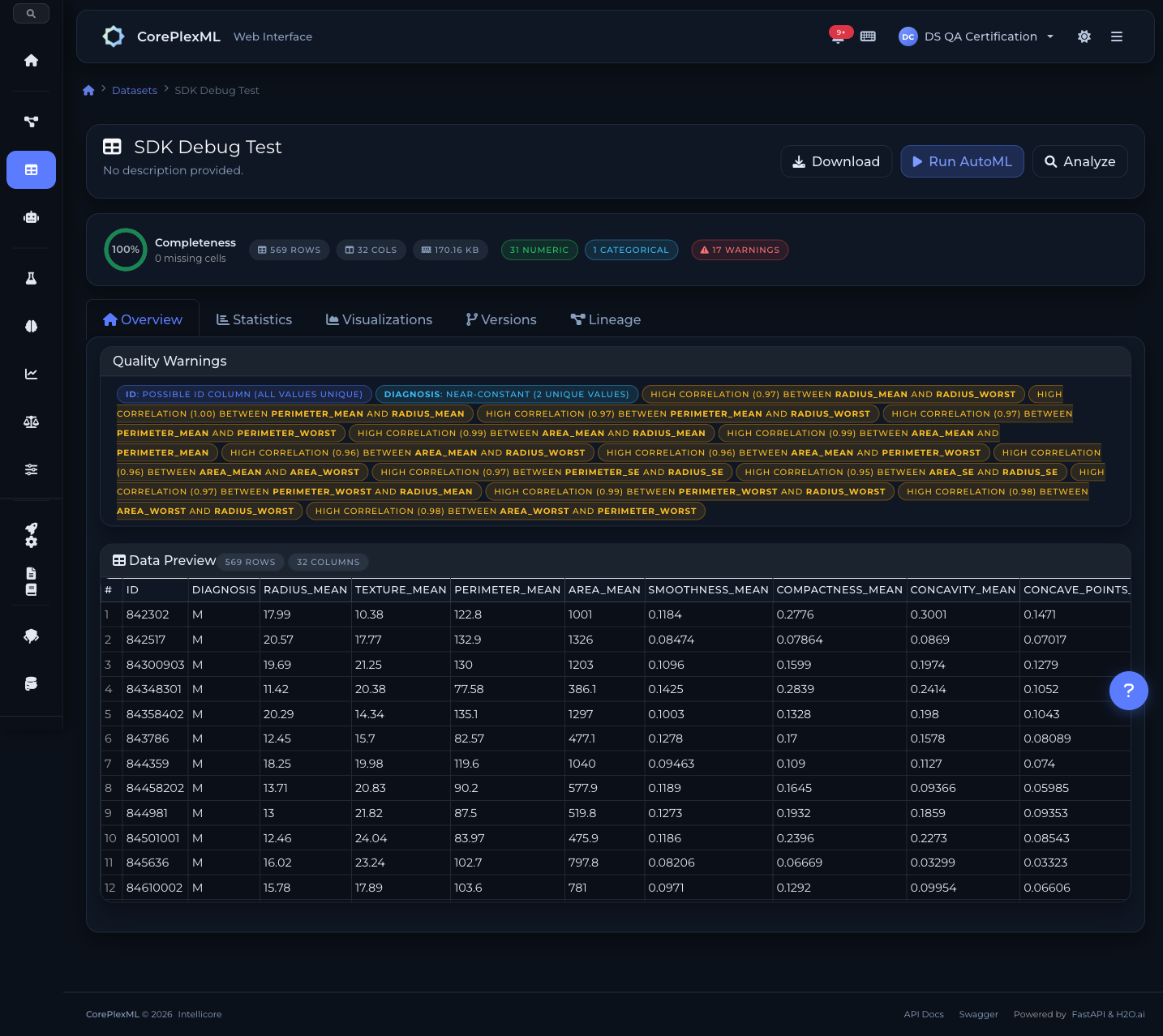
Dataset overview with column-level statistics
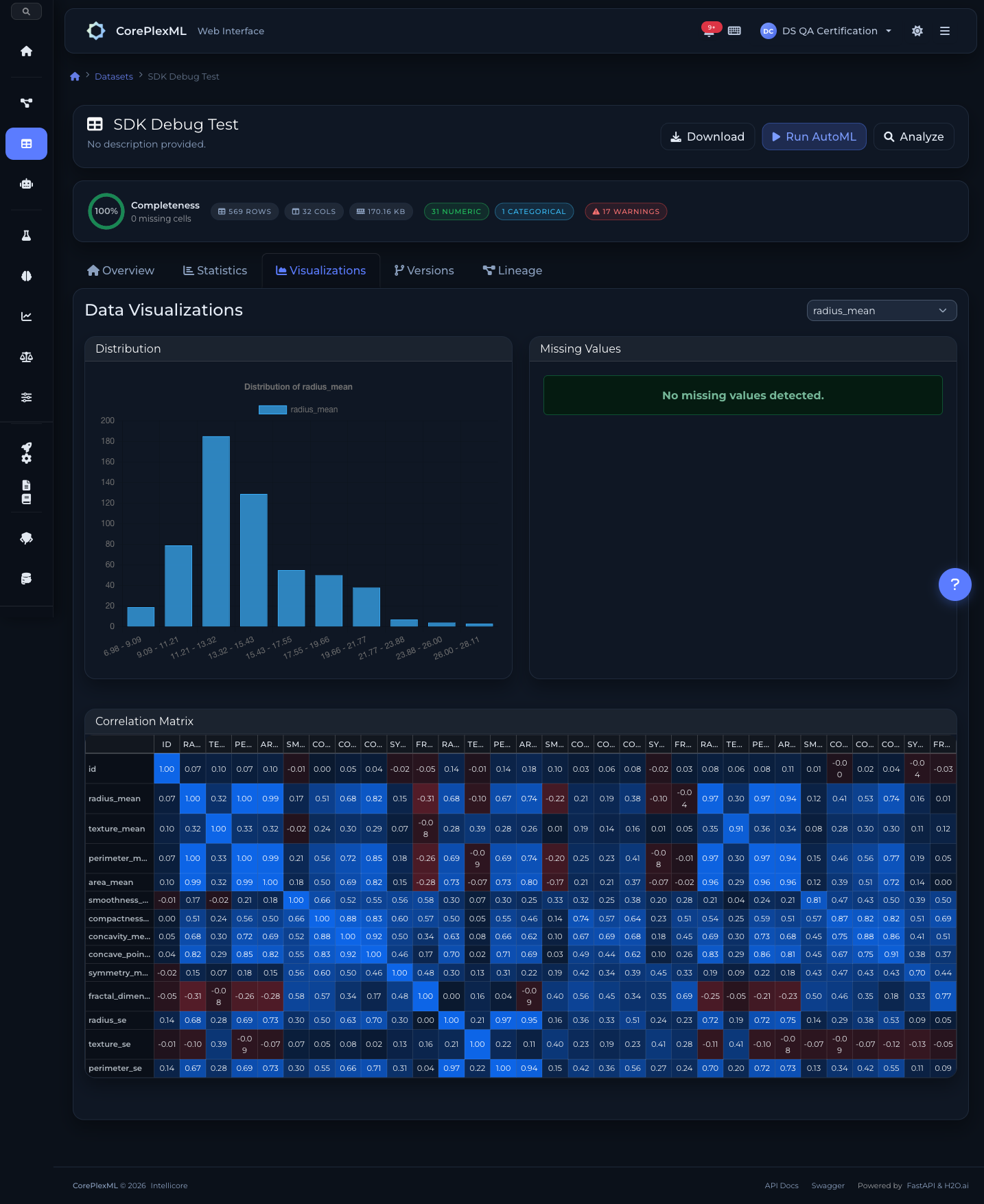
Interactive data visualizations and distributions
Ready to get started?
Start building with CorePlexML today. Free tier available — no credit card required.