Train production ML models in minutes
Multi-engine AutoML with H2O and FLAML. Automatically selects algorithms, tunes hyperparameters, and builds stacked ensembles — with parallel engine orchestration for Enterprise plans.
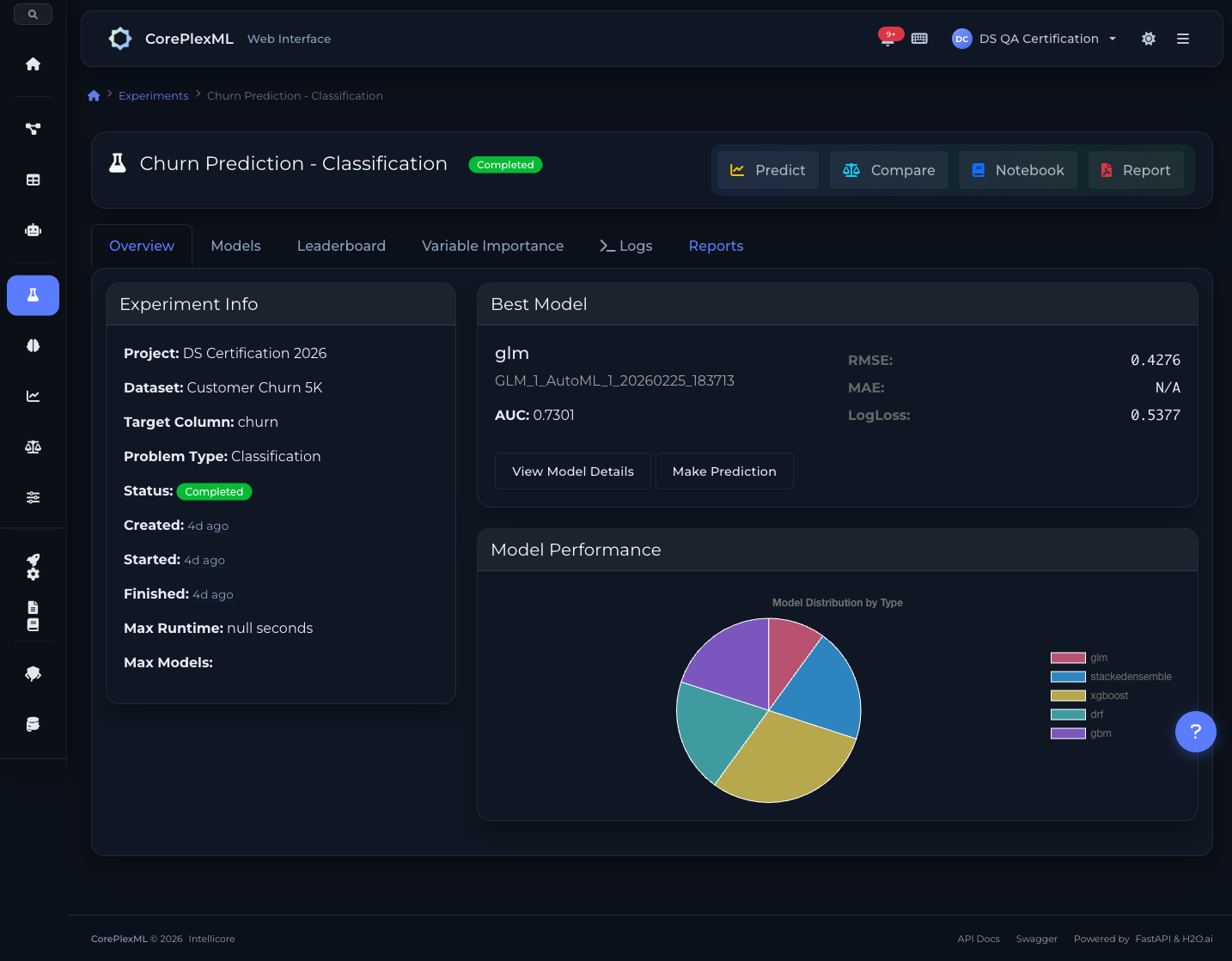
Two engines. One experiment. Best model wins.
Run H2O and FLAML in parallel on the same dataset. Each engine explores different optimization strategies independently. CorePlexML picks the best model across all engines automatically.
From raw data to production model in three steps
No manual feature engineering, hyperparameter tuning, or algorithm selection. AutoML handles the entire pipeline.
1. Upload Your Data
Drag and drop CSV, Excel, JSON, or XML files. The platform automatically detects column types, identifies the target variable, and profiles your data for quality issues.
2. Configure & Train
Select your target column, problem type, and engine (H2O or FLAML). AutoML tests multiple algorithms with Bayesian hyperparameter optimization and stacked ensembles. Enterprise plans support parallel multi-engine execution.
3. Evaluate & Deploy
Review the model leaderboard with metrics, SHAP explanations, and feature importance. Deploy the best model to production with one click via MLOps.
Key Capabilities
Everything you need to get the most out of this module.
Automated Algorithm Selection
50+ algorithms tested automatically. XGBoost, GBM, deep learning, GLM, and more — the engine picks the best for your data.
Hyperparameter Tuning
Bayesian optimization finds optimal hyperparameters faster than grid or random search.
Stacked Ensembles
Combine multiple models into powerful ensembles that outperform any single algorithm.
GPU Acceleration
Leverage GPU compute for faster training on large datasets. Automatic fallback to CPU when needed.
15+ algorithms with stacked ensembles
H2O.ai evaluates XGBoost, GBM, Deep Learning, Random Forest, GLM, and Stacked Ensembles with Bayesian hyperparameter tuning.
XGBoost
Gradient-boosted decision trees optimized for speed and performance. Handles missing values natively and supports GPU acceleration.
Gradient Boosting (GBM)
Sequential ensemble method that builds trees correcting previous errors. Excellent for tabular data with complex feature interactions.
Deep Learning
Multi-layer neural networks with configurable architectures. Automatic regularization, dropout, and early stopping for production stability.
Random Forest (DRF)
Parallel ensemble of decision trees with bagging. Robust against overfitting and provides reliable feature importance rankings.
Generalized Linear (GLM)
Interpretable linear models with regularization (L1/L2). Ideal when model explainability is a regulatory requirement.
Stacked Ensembles
Meta-learner that combines predictions from all trained models. Typically achieves the best performance by leveraging model diversity.
Cost-aware optimization with scikit-learn
Microsoft FLAML finds the best model within a time budget using cost-aware search. Lightweight, fast, and ideal for quick iterations.
Random Forest (sklearn)
Scikit-learn Random Forest with automatic hyperparameter search via FLAML's cost-aware optimization. Fast convergence for tabular data.
Extra Trees
Extremely randomized trees with faster training. FLAML optimizes split thresholds and tree depth automatically for best performance.
Logistic Regression (L1)
Sparse regularized classifier via FLAML. Ideal for high-dimensional datasets where feature selection and interpretability matter.
Engine capabilities scale with your plan
Choose your engine per experiment. Enterprise plans unlock parallel multi-engine execution for maximum model coverage.
| Plan | Engines | Per Experiment | Parallel |
|---|---|---|---|
| Free | H2O | 1 | — |
| Pro | H2O, FLAML | 1 (choose one) | — |
| Team | H2O, FLAML | 1 (choose one) | — |
| Enterprise | H2O, FLAML | Up to 3 | ✓ Up to 3 |
Train models programmatically
Use the Python SDK to automate your training pipelines. Full experiment management, from data upload to SHAP explanations.
from coreplexml import CorePlexMLClient

client = CorePlexMLClient(
    base_url="https://api.coreplexml.io",
    api_key="sk_your_api_key"
)

# Upload training data
dataset = client.datasets.upload(
    project_id="proj_abc",
    file_path="customers.csv",
    name="Customer Churn Data"
)

# Start AutoML training with engine selection
experiment = client.experiments.create(
    project_id="proj_abc",
    dataset_version_id=dataset["dataset_version_id"],
    target_column="churn",
    problem_type="classification",
    engine="h2o",  # or "flaml"
    config={"max_models": 20, "balance_classes": True}
)

# Wait for training to complete
result = client.experiments.wait(experiment["id"], timeout=3600)
print(f"Best model: {result['best_model_id']}")
print(f"AUC: {result['metrics']['auc']:.4f}")

# Get feature importance and SHAP values
explain = client.experiments.explain(experiment["id"])
for feat in explain["feature_importance"][:5]:
    print(f"  {feat['feature']}: {feat['importance']:.3f}")
AutoML API
RESTful endpoints for experiment management, model training, and predictions.
/api/experimentsCreate AutoML experiment with engine selection (h2o, flaml) and execution mode (single, parallel)
/api/experiments/automl-enginesList available AutoML engines and their capabilities
/api/experiments/capabilitiesGet effective AutoML capabilities for the current user and plan
/api/experiments/{id}/engine-runsList engine runs for a multi-engine experiment
/api/experiments/{id}/statusCheck training progress and current status
/api/experiments/{id}/explainGet feature importance, SHAP values, and explainability data
/api/models/enginesGet distribution of models by engine (h2o, flaml)
/api/models/{id}/predictMake predictions using any trained model (H2O or FLAML)
From experiment to model analytics
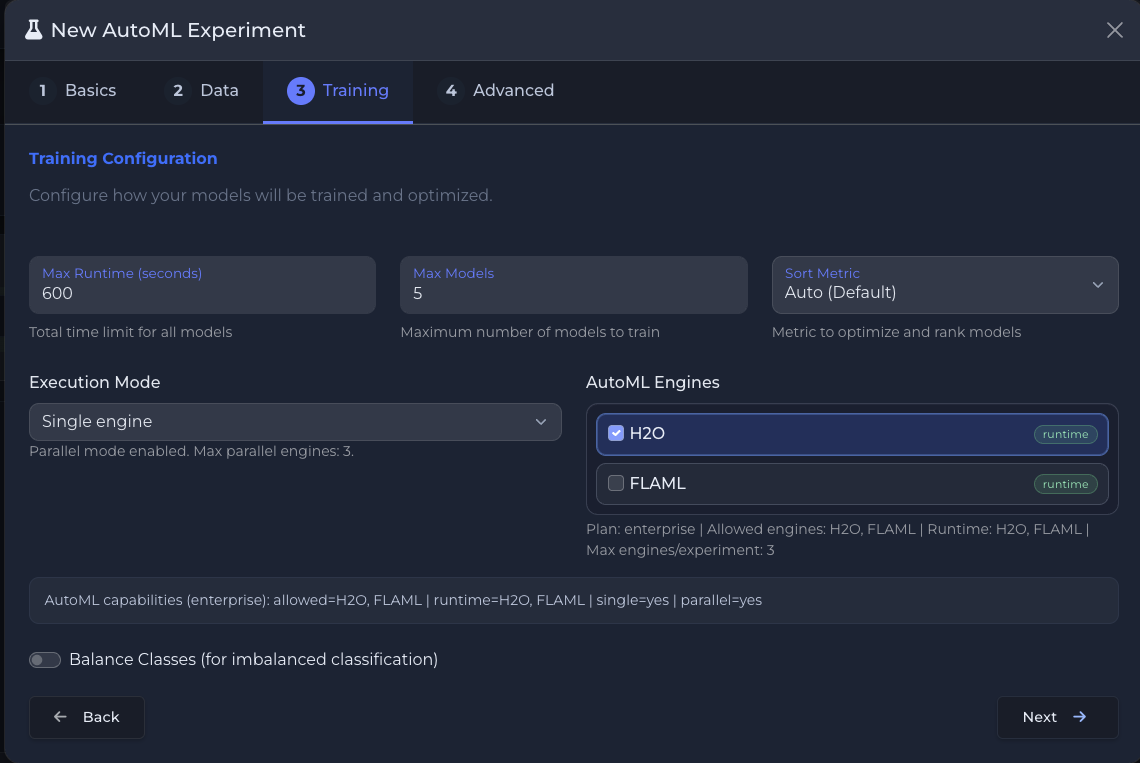
Multi-engine training: H2O + FLAML with plan capabilities
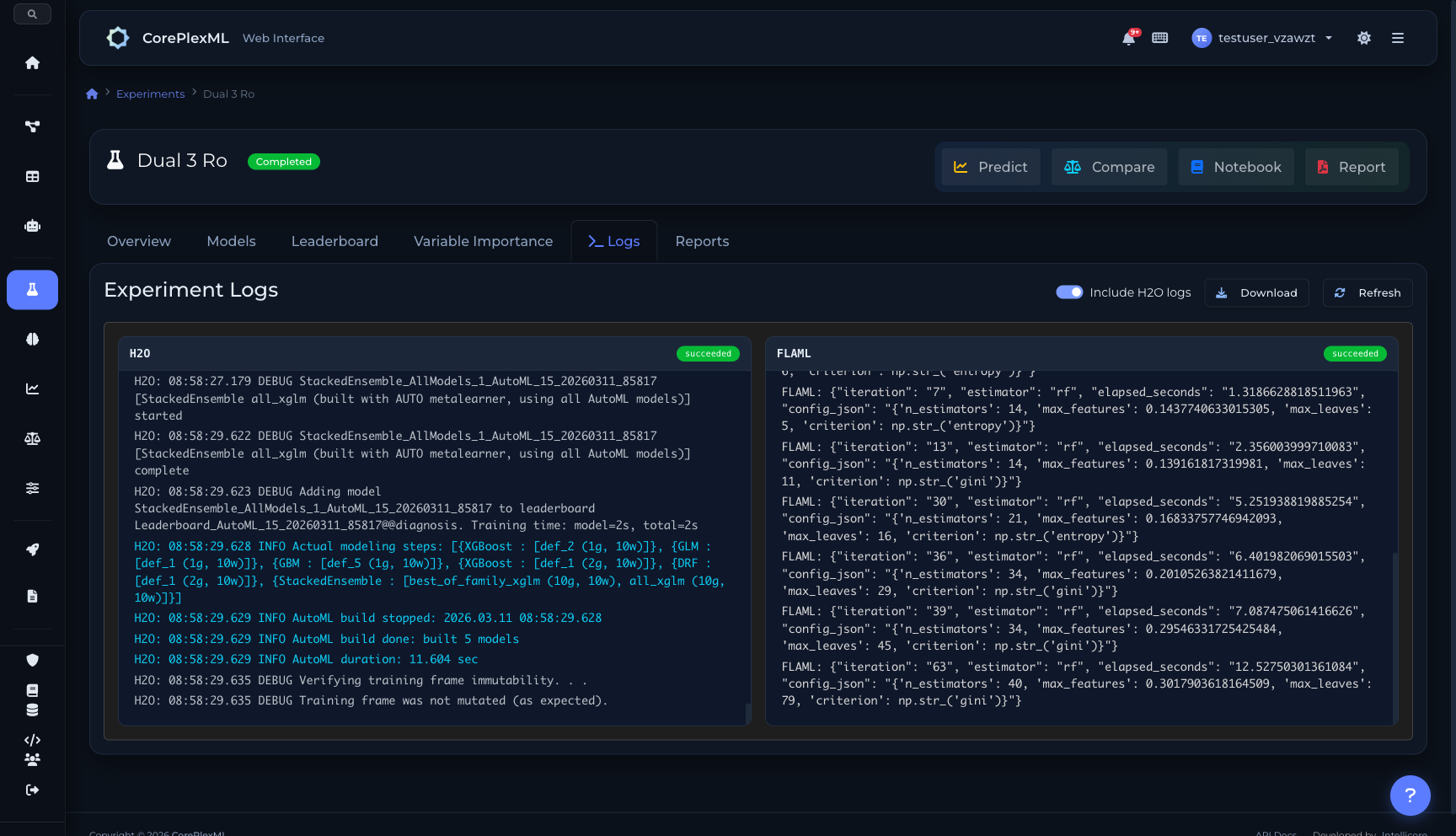
Parallel engine logs: H2O + FLAML running simultaneously
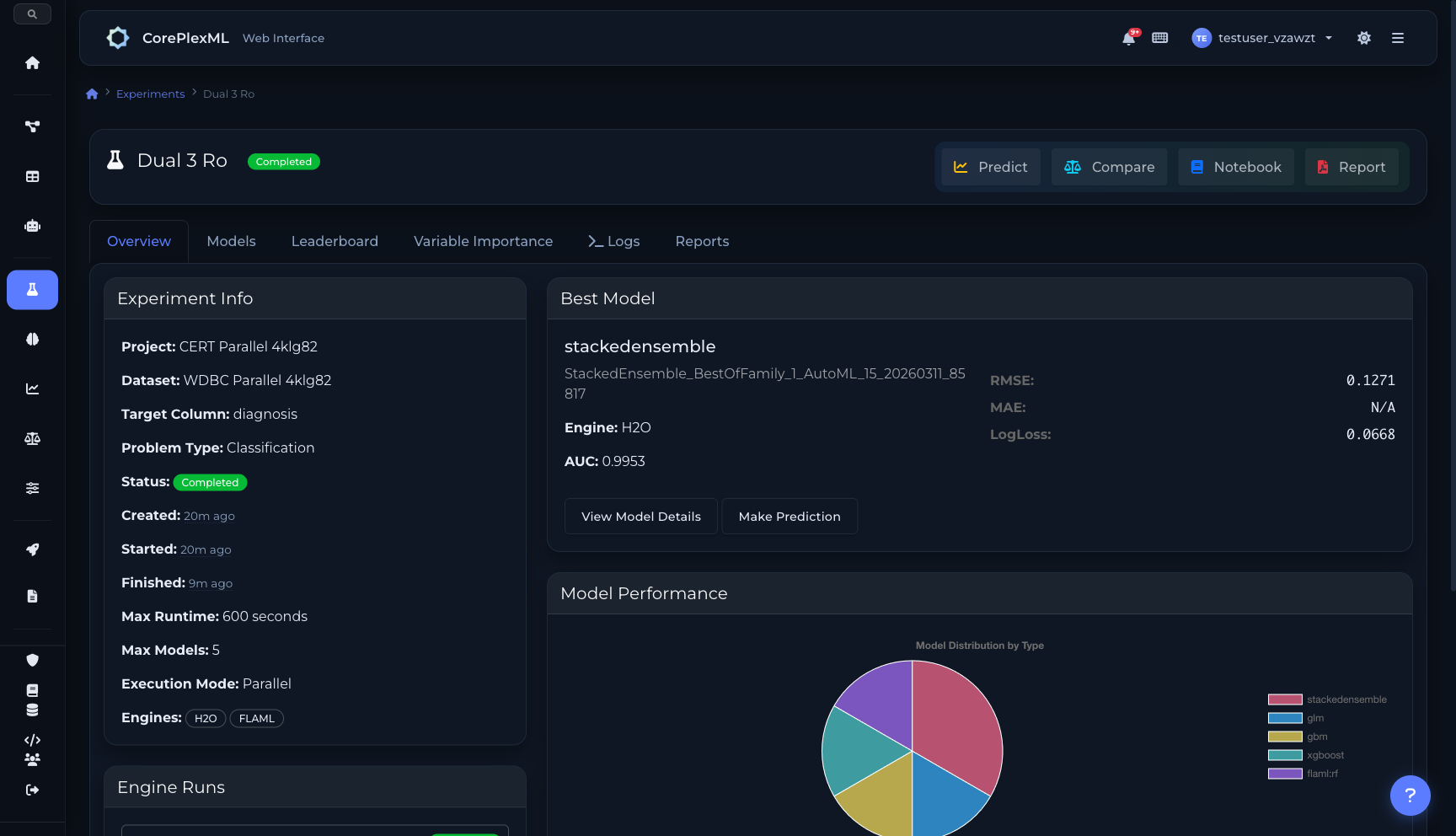
Parallel execution: H2O + FLAML with engine runs and results
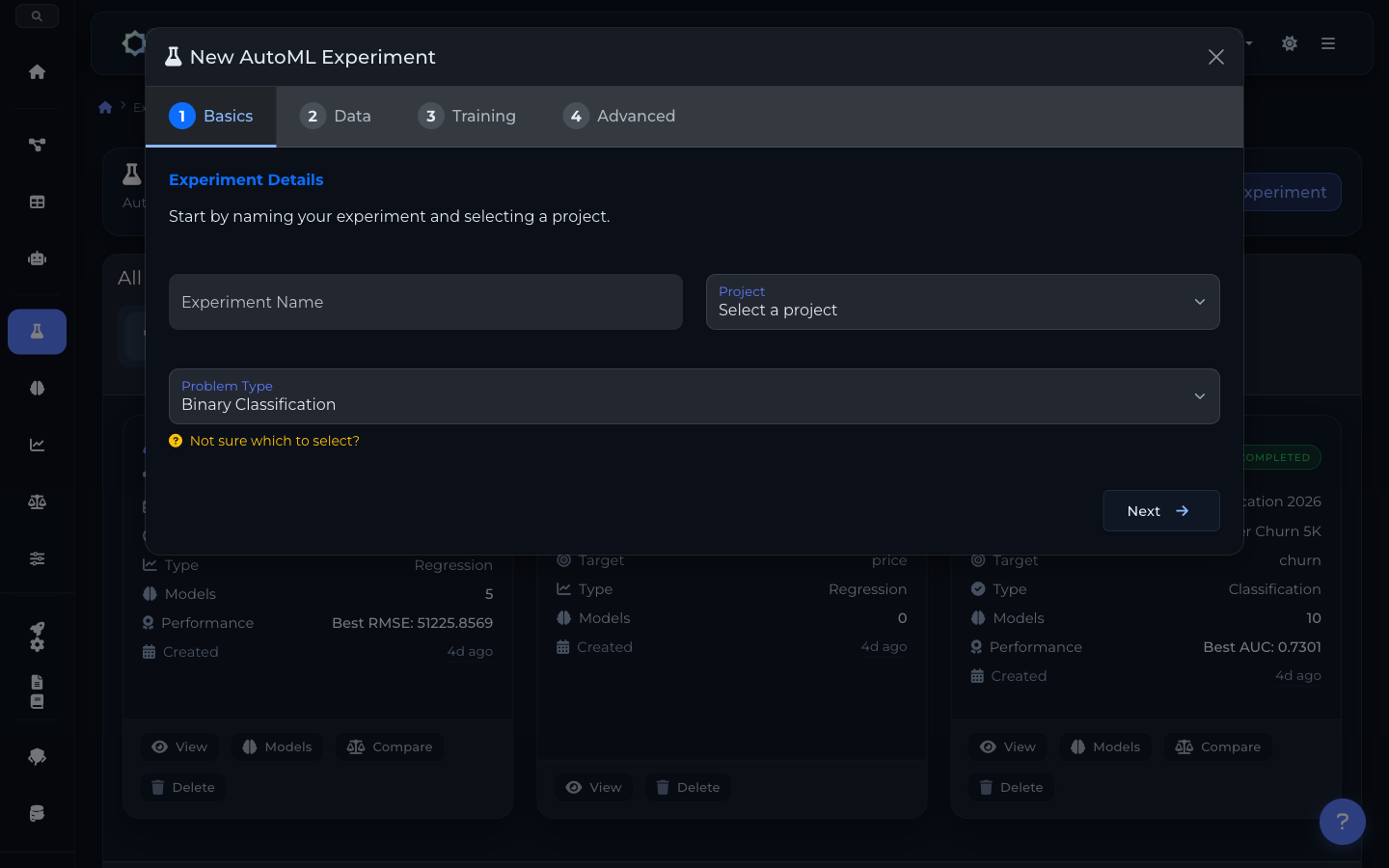
4-step AutoML experiment wizard
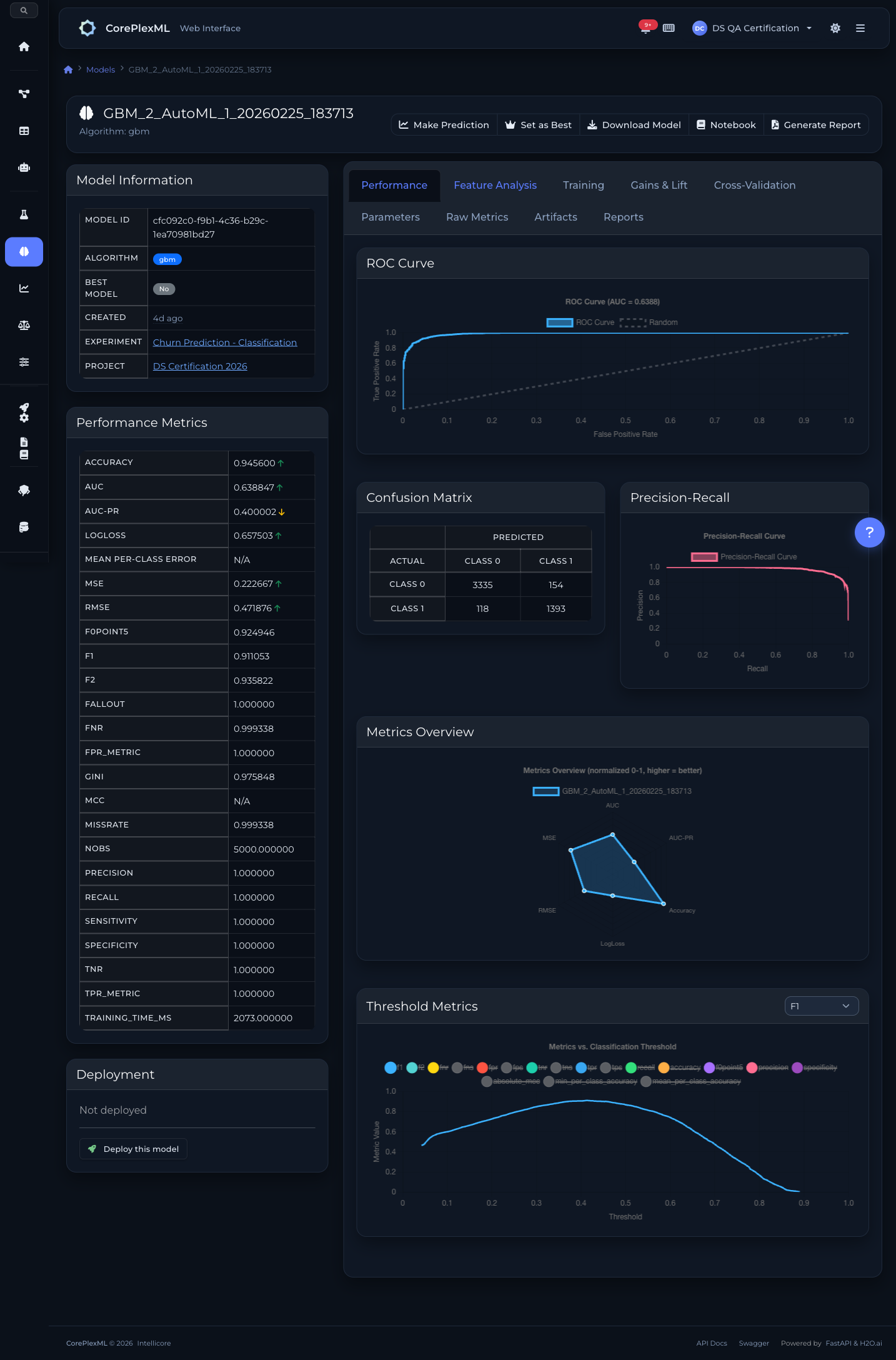
ROC curves, confusion matrix, and precision-recall
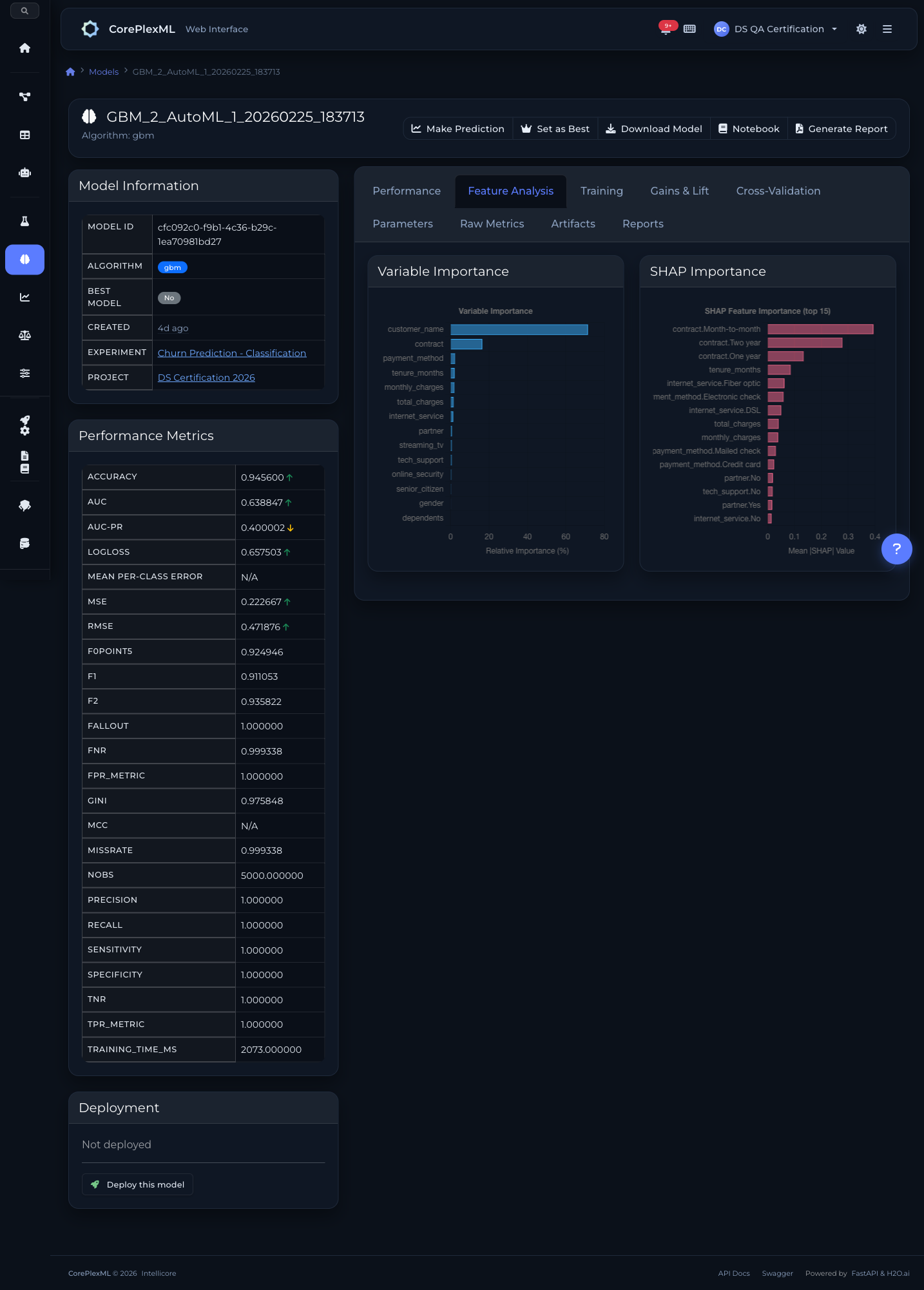
SHAP values and variable importance
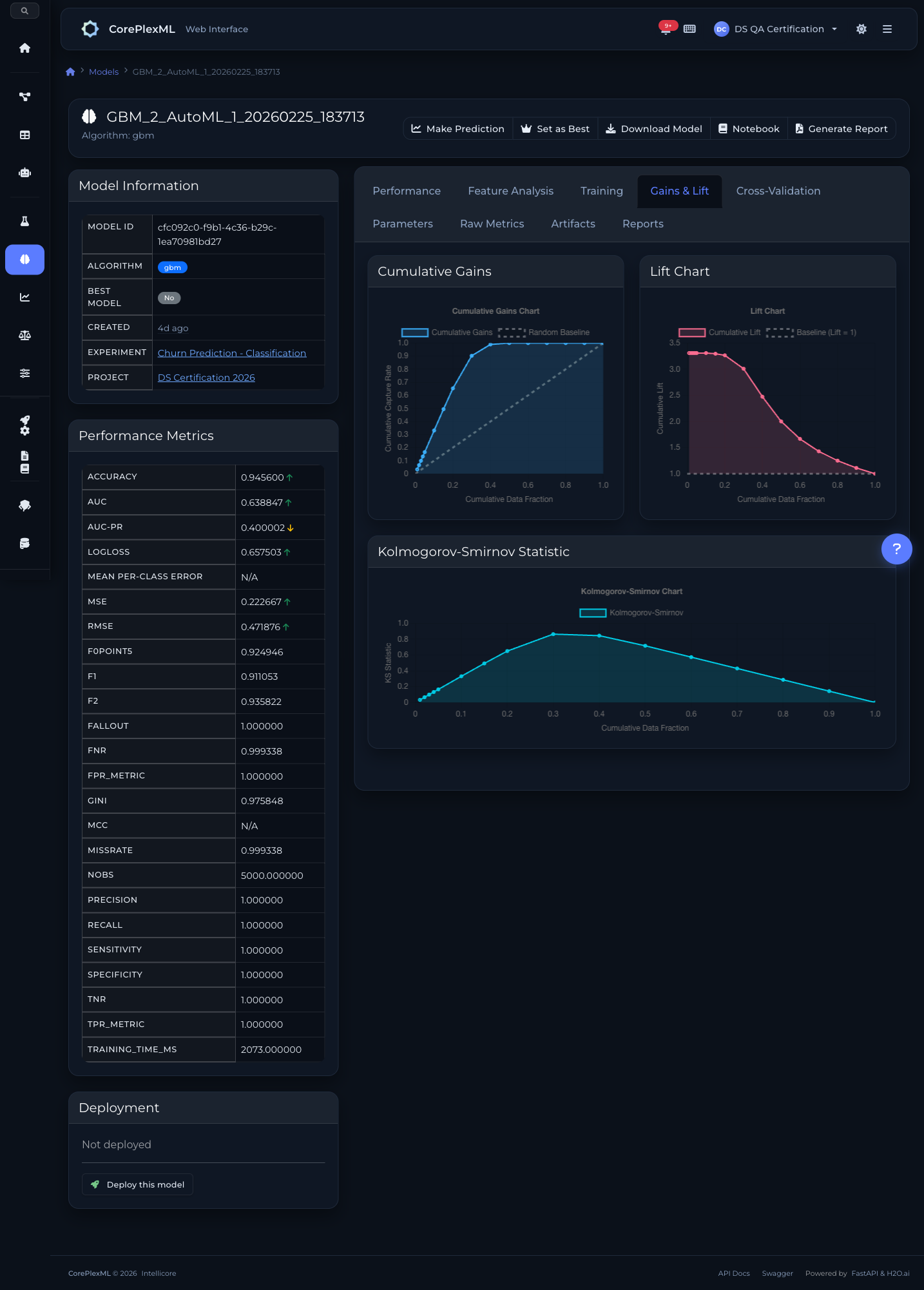
Cumulative gains, lift, and K-S statistics
Ready to get started?
Start building with CorePlexML today. Free tier available — no credit card required.